
Submitting a Prequalification Request in Trestle
Submitting a prequalification request in Trestle is quick and straightforward. Follow these simple steps to get started:
Steps to Submit a Prequalification Request
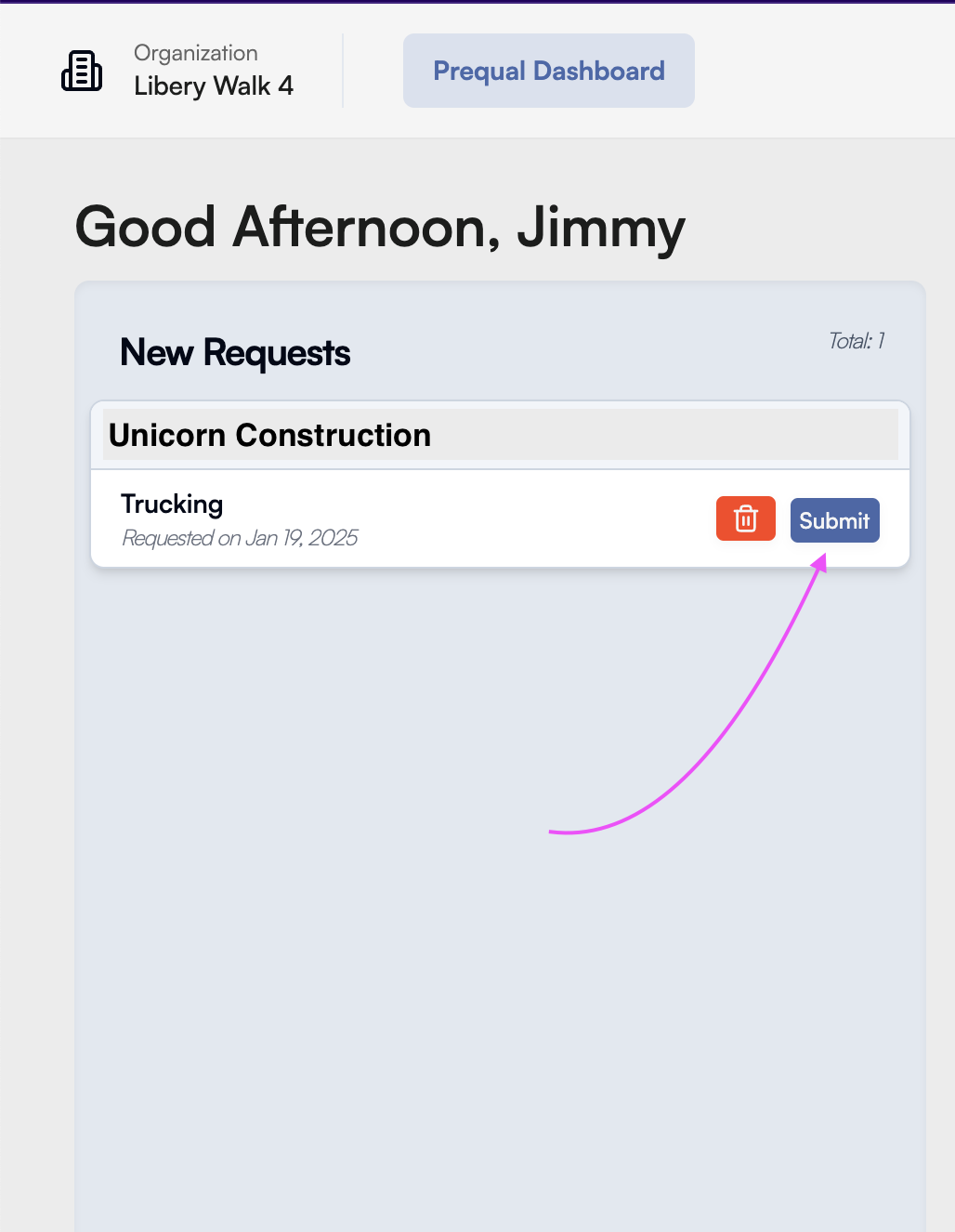
- Locate the Prequalification Request
- Navigate to the New Requests section on the left-hand side of your dashboard.
- Start the Submission
- Find the prequalification request you want to work on and click the Submit button next to it.
- Begin Your Submission
- You will be redirected to the prequalification form where you can start completing the required fields.
Key Benefits
- Efficiency: Quickly access and start working on your prequalification requests directly from your dashboard.
- User-Friendly: Designed for ease of use, making the process hassle-free.
- Centralized Management: All your requests are conveniently organized in one place.
By following these steps, you can seamlessly manage and submit your prequalification requests, ensuring you stay on top of compliance requirements.


